

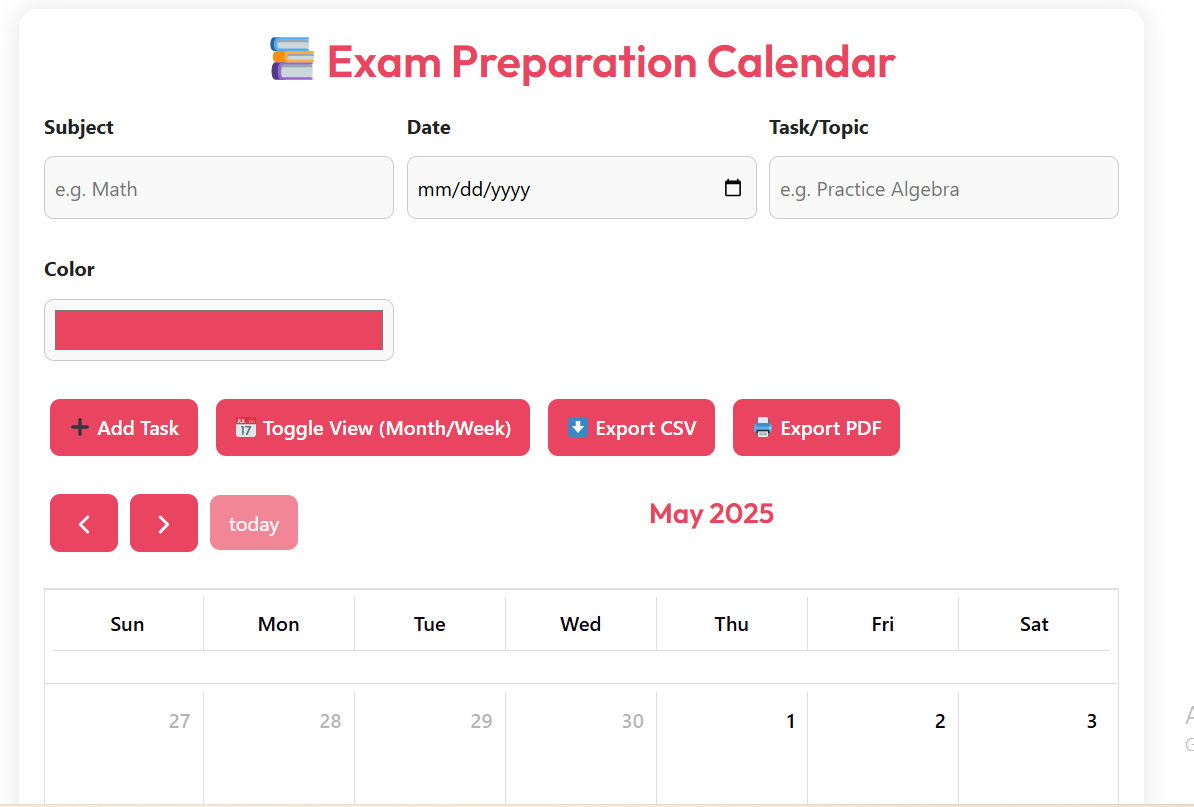
📚 Exam Preparation Calendar
📤 Share the Exam Preparation Calendar tool:
Exam Preparation Calendar: Your Free Digital Study Planner
Studying for exams can feel overwhelming. With so many subjects, topics, and deadlines, it's easy to lose track. That's where the Exam Preparation Calendar comes in. This simple, powerful tool helps students plan, organize, and stay on track during exam season.
Whether you're in high school, college, or preparing for professional certification, this calendar makes it easy to manage your study time. No downloads. No sign-ups. Just a clean, user-friendly planner that works on any device.
Why Use an Exam Preparation Calendar?
Good planning is the key to success in exams. A study calendar helps you break big goals into small steps. Instead of cramming at the last minute, you can spread your learning over days or weeks.
Using a visual calendar helps your brain see your progress. When you mark a task as complete, you feel a sense of achievement. This keeps you motivated and reduces stress.
Benefits of Using This Tool
- Stay organized: Add subjects, dates, and tasks in seconds.
- Color-code your subjects: Use different colors for math, science, history, etc.
- Save your plan: Your calendar saves your tasks automatically using your browser.
- Export your schedule: Download your plan as a PDF or CSV file to share or print.
- Mobile-friendly: Works on phones, tablets, and computers.
Real-World Use Cases
1. High School Student Preparing for Finals
Alice is a 10th-grade student with five final exams in two weeks. She uses the Exam Preparation Calendar to map out her study plan. She adds one subject per day, with color codes: blue for math, green for biology, red for history. Each day, she sees what to study and feels confident she's on track.
2. College Student Studying for Midterms
James has three midterms in one week. He uses the tool to block time for each course. He sets daily goals like "Review Chapter 4" or "Practice past papers." The calendar view helps him avoid overloading one day and leaving others empty.
3. Adult Learner Preparing for a Certification
Sarah works full-time and studies at night for a project management certification. She uses the calendar to plan weekend study blocks. She exports her schedule as a PDF and prints it, placing it on her fridge as a daily reminder.
How It Compares to Other Tools
There are many study planners out there. Some are apps, others are paper-based. Here's why this Exam Preparation Calendar stands out:
| Feature | This Tool | Other Planners |
|---|---|---|
| No Sign-Up Required | Yes | No (most require login) |
| Works Offline | Yes (saves in browser) | No (cloud-only) |
| Free to Use | Yes | No (premium features locked) |
| Export Options | PDF & CSV | PDF only or none |
This tool is faster, simpler, and more private than most alternatives. You don't need to worry about data collection or subscriptions.
Frequently Asked Questions (FAQ)
Is the Exam Preparation Calendar really free?
Yes! There are no hidden fees, no premium upgrades, and no ads. You can use it as much as you want, completely free.
Do I need to create an account?
No. This tool works directly in your browser. Your data is saved on your device using local storage. No email or password is needed.
Can I use this on my phone?
Absolutely. The calendar is fully responsive and works on all screen sizes — phones, tablets, and desktops.
How do I save my study plan?
Your tasks are saved automatically as you add them. Just keep using the same browser. If you clear your history, your data will be lost.
Can I print my calendar?
Yes! Click the "Export PDF" button to download a printable version. You can also export to CSV for use in Excel or Google Sheets.
What if I want to delete a task?
Currently, you can only remove tasks by clearing all data. To do this, right-click the page, select "Inspect," go to "Application" > "Storage" > "Local Storage," and delete the item named 'examPrepTasks'.
Start Planning Your Success Today
Don't wait until the night before the exam. Smart students plan ahead. Use the Exam Preparation Calendar to take control of your study time. Break big goals into small steps. Track your progress. Stay calm and confident.
This tool is perfect for anyone who wants to study smarter, not harder. Whether you have one test or ten, a clear plan makes all the difference.
👉 Open the Exam Preparation Calendar NowIf you found this tool helpful, please share it with a friend or classmate. Bookmark this page so you can come back anytime. With a little planning, you can achieve big results.
Remember: Success isn't about studying more — it's about studying better. Let this calendar guide your journey to better grades and less stress.
Other Ai Tools For Students
(Pomodoro Timer)


