

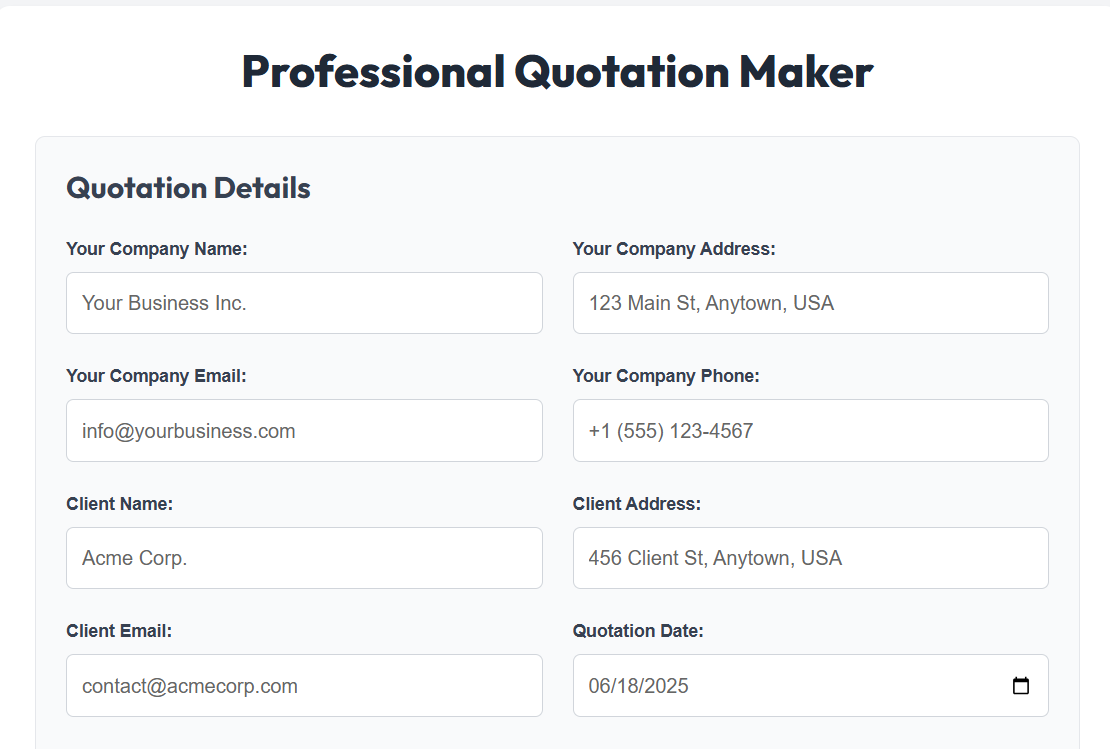
Professional Quotation Maker
Quotation Details
Items/Services
| Item Name | Description | Qty | Unit Price | Total | |
|---|---|---|---|---|---|
| Subtotal: | |||||
| Tax Rate (%): | |||||
| Tax Amount: | |||||
| Discount (%): | |||||
| Discount Amount: | |||||
| Grand Total: | |||||
QUOTATION
Quotation No:
Date:
Valid Until:
To:
| Item | Description | Qty | Unit Price | Total |
|---|---|---|---|---|
| Subtotal: | ||||
| Tax (%): | ||||
| Discount (%): | ||||
| GRAND TOTAL: | ||||
Terms & Conditions:
Notes:
Thank you for your business!

📤 Share the Free Quotation Maker:
Free Quotation Maker: Create Professional Quotes in Seconds
Are you tired of spending hours creating quotes in Word or Excel? Do you want to look more professional and close deals faster? Our Free Quotation Maker helps freelancers, small businesses, and agencies create beautiful, branded quotations in seconds — no design skills needed.
This tool is 100% free, works on any device, and lets you download your quote as a PDF instantly. Whether you're a web designer, plumber, consultant, or electrician, you can generate a polished quote that builds trust and gets results.
Why it matters: A professional quote shows you're serious about your business. It includes all the details clients need — itemized services, pricing, terms, and validity — so there are no surprises later.
How Our Free Quotation Maker Works
Using our tool is simple. Just follow these steps:
- Enter your business details — company name, address, email, phone, and logo.
- Add client information — their name, company, and contact details.
- List your services or products with descriptions, quantities, and prices.
- Set tax, discount, and currency to match your region.
- Add terms and notes to clarify payment, delivery, or scope.
- Preview and download as a clean, print-ready PDF.
No signup. No watermarks. No hidden fees. You own your data and your quote.
Why Choose Our Free Quotation Maker
With so many options available for creating business quotations, you might wonder what makes our Free Quotation Maker stand out from the competition. Here are the compelling reasons why thousands of businesses and freelancers choose our tool:
1. Completely Free With No Limitations
Unlike many "free" tools that limit features or add watermarks, our quotation generator is truly free with no hidden costs. You can create unlimited quotations, access all features, and download professional PDFs without any restrictions. We don't require credit card information or impose trial periods.
2. No Registration Required
We respect your privacy and time. Our tool works instantly without requiring sign-ups, account creation, or personal information. Just open the tool and start creating your quotation immediately. Your data stays on your device and is never stored on our servers.
3. Professional Templates That Build Trust
First impressions matter in business. Our quotation templates are designed by professionals to help you present a polished, credible image to your clients. A well-designed quotation communicates competence and attention to detail, increasing your chances of winning projects.
4. Automatic Calculations Eliminate Errors
Manual calculations in spreadsheets or documents often lead to embarrassing mistakes. Our tool automatically calculates subtotals, taxes, discounts, and grand totals, ensuring mathematical accuracy in every quotation you send. This prevents costly errors that could impact your profitability.
5. Mobile-Friendly Design
Create quotations anywhere, on any device. Our responsive design works perfectly on desktops, tablets, and smartphones. Whether you're at a client meeting, on a job site, or working from home, you can generate professional quotations on the go.
6. Time-Saving Efficiency
What used to take 30-60 minutes in Word or Excel now takes just 2-5 minutes with our tool. By streamlining the quotation process, you can focus more on your core business activities and less on administrative tasks. The time savings quickly add up for busy professionals.
7. Custom Branding Options
Add your logo, company colors, and branding elements to create quotations that reinforce your brand identity. Consistent branding across all client communications helps build recognition and trust, making your business appear more established and professional.
Benefits of Using a Quotation Generator
Implementing a dedicated quotation generator like our Free Quotation Maker offers numerous advantages over manual methods. Here are the key benefits you'll experience:
1. Improved Professional Image
A well-formatted, detailed quotation makes your business appear more established and reliable. Clients perceive businesses that use professional quotation templates as more trustworthy and competent. This positive first impression can be the deciding factor in winning competitive bids.
2. Faster Response Times
When a potential client requests a quote, responding quickly gives you a competitive edge. With our tool, you can create and send professional quotations within minutes of receiving an inquiry, demonstrating responsiveness and efficiency that clients appreciate.
3. Reduced Administrative Burden
Manual quotation creation involves repetitive formatting, calculations, and data entry. Our automation handles these tedious tasks, freeing up your time for revenue-generating activities. Many users report saving 5-10 hours per month on quotation preparation alone.
4. Consistency Across Documents
Using standardized templates ensures all your quotations maintain a consistent format, structure, and branding. This consistency helps clients quickly find the information they need and creates a cohesive professional image for your business.
5. Accurate Pricing Calculations
Manual calculation errors can lead to underpricing (hurting your profits) or overpricing (losing the client). Our automatic calculations ensure accurate totals every time, protecting your margins while maintaining competitive pricing.
6. Easy Modifications and Revisions
Clients often request changes to initial quotations. With our tool, you can quickly duplicate and modify existing quotations rather than starting from scratch. This flexibility makes the revision process efficient and frustration-free.
7. Digital Record Keeping
While we don't store your data, our tool makes it easy to maintain your own digital records. You can save PDF copies of all quotations for your records, creating an organized archive of all your business proposals and pricing history.
8. Environmentally Friendly
Digital quotations reduce paper waste and printing costs. By sending professional PDF quotations via email, you contribute to environmental sustainability while modernizing your business processes.
Tips on Generating a Good Quotation
Creating a quotation that wins business requires more than just listing prices. Here are professional tips to maximize your success rate:
1. Understand Client Needs Thoroughly
Before creating a quotation, ensure you fully understand the client's requirements. Ask clarifying questions, review project specifications, and confirm expectations. A quotation based on incomplete understanding often leads to scope creep or client dissatisfaction later.
2. Itemize Your Services Clearly
Break down your offering into specific line items rather than providing a single total. Detailed itemization helps clients understand what they're paying for and justifies your pricing. It also makes your quotation look more transparent and professional.
3. Use Descriptive Language
Instead of vague descriptions like "design services," use specific language such as "responsive website design with 5 page templates." Clear descriptions prevent misunderstandings and demonstrate your attention to detail.
4. Set Appropriate Validity Periods
Always include a "valid until" date to protect yourself from price changes and create urgency for the client. Typical validity periods range from 15-30 days, depending on your industry and the stability of your costs.
5. Include Clear Terms and Conditions
Specify payment terms, project timelines, revision policies, and what happens if the project scope changes. Clear terms prevent disputes and set professional boundaries from the beginning of the relationship.
6. Personalize for Each Client
Address the client by name, reference specific conversations, and tailor your offering to their unique needs. Personalized quotations show that you've invested time in understanding their specific situation rather than sending a generic template.
7. Highlight Your Unique Value Proposition
Briefly explain why clients should choose you over competitors. This could be your expertise, unique approach, faster turnaround, or superior customer service. Don't assume clients automatically recognize your value.
8. Offer Multiple Options When Appropriate
Consider providing tiered pricing options (e.g., basic, standard, premium packages). This approach gives clients choice and helps you understand their priorities and budget constraints.
9. Follow Up Strategically
Don't just send the quotation and wait. Follow up within 3-5 days to answer questions and address concerns. A polite follow-up demonstrates your interest in the project and can prompt hesitant clients to make decisions.
10. Learn From Rejections
If clients don't accept your quotation, politely ask for feedback. Understanding why you didn't win the business provides valuable insights for improving future quotations and your overall service offering.
Real-World Use Cases
1. Freelance Web Designer
Sarah is a freelance web designer who works with small businesses. When a client asks for a quote, she uses our tool to quickly create a professional document. She adds line items like "Homepage Design," "Contact Form Setup," and "SEO Optimization." She includes her logo, sets the currency to USD, and applies a 10% discount for early payment. In under 5 minutes, she sends a PDF quote that looks like it came from a big agency.
2. Home Renovation Contractor
Mike runs a small renovation business. After visiting a client's home, he uses the Quotation Maker on his phone to draft a quote for kitchen remodeling. He lists materials, labor, and permits. He sets the "Valid Until" date to 14 days and adds a note about included warranties. The client appreciates the clear breakdown and accepts the quote the same day.
3. IT Consulting Firm
A small IT firm uses the tool to send service proposals. They create quotes for network setup, cybersecurity audits, and monthly maintenance. By using the same professional template every time, their brand looks consistent and trustworthy. Clients say the quotes are easy to understand and compare.
4. Marketing Agency
A digital marketing agency uses our Free Quotation Maker to propose campaign packages to clients. They create detailed quotations that break down strategy development, content creation, advertising spend, and reporting. The professional presentation helps justify their pricing and has increased their conversion rate by 25%.
5. Freelance Writer
Emily, a freelance technical writer, uses the tool to quote for projects. She includes different pricing tiers based on word count, research complexity, and turnaround time. The clear structure helps clients understand the value they receive at each price point, reducing negotiation time.
Why This Tool Is Better Than the Alternatives
There are many ways to create quotes — from Word templates to paid software. But our Free Quotation Maker stands out. Here's how it compares:
| Feature | Our Free Tool | Microsoft Word | Paid Software (e.g., QuickBooks) |
|---|---|---|---|
| Cost | Free forever | Free (if you have Office) | $20–$50/month |
| Setup Time | Under 1 minute | Manual formatting needed | Complex setup |
| Mobile Friendly | Yes, works on phones & tablets | Limited editing | App required |
| PDF Export | One-click download | Yes | Yes |
| Auto Calculations | Subtotal, tax, discount, grand total | Manual or formula-based | Yes |
| No Signup Required | Yes | Yes | No |
| Logo & Branding | Upload your logo instantly | Yes | Yes |
| Cloud Storage | No (your data stays private) | No (local files) | Required (vendor controls your data) |
| Learning Curve | Minimal (intuitive interface) | Steep for professional results | Moderate to steep |
While Word is free and PDFs are universal, our tool saves time with smart features like auto-calculations and responsive design. Unlike paid tools, there's no learning curve or monthly bill.
Frequently Asked Questions (FAQ)
Start Creating Professional Quotes Today
Stop using outdated methods. A well-designed quote builds credibility, reduces back-and-forth, and helps you get paid faster. Our Free Quotation Maker gives you everything you need — speed, simplicity, and professionalism — without the cost.
Whether you're quoting a $50 service or a $5,000 project, presenting a clean, detailed document shows you care about your clients and your business.
Try the Free Quotation Maker NowIt only takes a few minutes to create your first quote. And once you see how easy it is, you'll never go back to spreadsheets or handwritten estimates.
Final Thoughts: Why This Tool Matters
In today's competitive market, first impressions count. A professional quote is often the first official document a client sees from your business. It sets the tone for your relationship.
Our Free Quotation Maker removes the hassle of formatting, calculating totals, and exporting files. You focus on your offer — we handle the presentation.
Best of all, it's accessible to anyone. No design skills. No accounting software. Just a simple, powerful tool that helps you look and act like the professional you are.
Pro tip: Save time by reusing quotes. After creating one, you can tweak the client name and price for similar jobs. Many users keep the tab open for quick access.
If you found this tool helpful, please share it with other freelancers or small business owners. Bookmark this page so you can come back anytime you need to send a quote.
Watch Here How To Create A Quotation For Free
Other Free Ai Tools
Unlock the power of AI and simplify your everyday tasks. Whether you’re a creator, developer, or a curious mind — our collection of smart, free tools will save you time and boost your productivity.
Receipt Generator
Create professional receipts in seconds — customizable, printable, and ready to send.
Generate Now