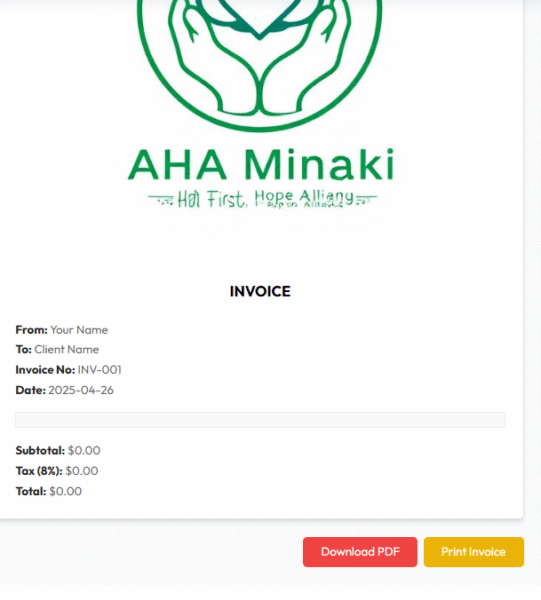
Invoice Generator: Create Professional Invoices in Minutes
Our Invoice Generator helps freelancers, small businesses, agencies, and consultants
build clean, tax-ready invoices fast—right in the browser. Add your logo, choose your currency,
include taxes and discounts, and export to PDF, PNG, or JPEG with a single click. No accounts,
no watermarks, and no learning curve.
An invoice generator is a simple tool for creating invoices that look professional and include the details
your clients expect: your company information, client information, invoice number, date, itemized
services or products, taxes, discounts, and clear totals. Instead of editing a complex template,
you fill a few fields and the tool formats everything for you. When you're done, you can export or print
instantly.
This tool puts speed and accuracy first. It supports multiple currencies—including USD, EUR, GBP, KES, NGN,
INR—and even a custom currency option, so you can invoice clients anywhere. Each line item can include
a quantity, price, per-line tax, and per-line discount, which makes totals precise and transparent.
Why Use This Invoice Generator?
The shorter the time between finishing a job and sending the invoice, the faster you get paid. This tool helps
you move from "done" to "invoice sent" in minutes. It's optimized for clarity, so clients can see line items,
taxes, and discounts without confusion. Clear invoices reduce back-and-forth emails and help improve cash flow.
Because it runs completely in the browser, your data remains on your device while you create and export the
document. You keep full control of what you share. The export options—PDF, PNG, and JPEG—cover most
client preferences and accounting workflows.
How to Create an Invoice (Step by Step)
Enter your company details: Name, address, email, and phone. Add your logo for brand consistency.
Add the client information: Name, address, and email so the invoice is clearly addressed.
Set invoice number and date: Use a numbering sequence that helps you track payments.
Choose your currency: Select a built-in currency or add a custom code and symbol.
Add line items: Enter description, quantity, price, tax %, discount %, and the tool calculates totals.
Review the preview: Check that your totals, taxes, and discounts look correct.
Export or print: Download as PDF/PNG/JPEG or print your invoice for mailing or filing.
Best practice: keep descriptions clear (e.g., "Website maintenance – July 2025, 10 hours"). Clients pay faster when the value is obvious.
Real-World Use Cases
Freelancers & Creators
Designers, writers, developers, photographers, and virtual assistants can send polished invoices after
each milestone. Add hourly work and fixed-fee items in the same invoice. Apply discounts for retainers or
long-term clients while keeping taxes accurate.
Small Businesses & Shops
Local service providers—plumbers, salons, repair shops, cleaning services—can print or email a professional
invoice on the spot. Use the multi-currency option for cross-border orders or remote customers.
Agencies & Consultants
Break down projects by sprints or deliverables. Add a percentage discount for package deals and show tax
per line for compliance. Export a PDF for your client's finance team and a PNG/JPEG for quick previews.
Comparison: Invoice Generator vs. Popular Alternatives
There are many ways to make an invoice—from spreadsheets to heavyweight accounting apps. Here's how this
tool compares to common options:
Option
Best For
Pros
Cons
This Invoice Generator
Fast, one-off or frequent simple invoicing
Free, no signup, logo + taxes + discounts, multi-currency, quick PDF/PNG/JPEG
No built-in recurring billing or payment links
Spreadsheets (Excel/Sheets)
DIY templates, heavy customization
Flexible formulas, familiar tools
Time-consuming formatting, easier to break totals
Word/PDF Templates
Occasional invoices
Simple editing, printable layouts
Manual math, version control headaches
Full Accounting Suites
Scaling teams with complex needs
Reports, recurring billing, payment integrations
Costly subscriptions, learning curve, overkill for simple jobs
If you need speed, clarity, and control without subscriptions, this Invoice Generator gives you a perfect
balance. You can always upgrade to accounting software later while keeping this tool for quick jobs.
Best Practices for Faster Payments
Use clear titles and dates: Include the month, project phase, or sprint name.
Add purchase order (PO) numbers: If your client uses POs, mirror that number on the invoice.
Itemize value: Short, descriptive line items help clients understand the work completed.
Set fair payment terms: "Due upon receipt," "Net 7," or "Net 14" can speed up payment cycles.
Be consistent with numbering: A numbered sequence (e.g., INV-2025-001) makes tracking easier.
Check taxes once: Confirm the correct rate for your location and service type.
Include discounts thoughtfully: Show the value you're offering without confusing totals.
Frequently Asked Questions
Is the Invoice Generator really free?
Yes. You can create, preview, export, and print invoices at no cost and without creating an account.
Will my information be stored?
The tool runs in your browser during use. Your details are used to render the invoice you export or print.
You stay in control of what you save or share.
Can I add my own currency?
Absolutely. Choose "Custom currency" and enter your preferred code and symbol.
Does it handle VAT, GST, or sales tax?
Yes. Each line item supports a tax percentage. The totals section shows subtotal, tax total,
discount total, and the grand total.
How do I make my invoice look more professional?
Upload a high-quality logo, use consistent invoice numbers, and write clear descriptions. Keep your
business address and contact details up to date.
What file format should I send to clients?
PDF is the most common for finance teams and accounting systems. PNG and JPEG are handy
for quick previews or messaging apps.
Can I print directly?
Yes. Use the Print option to create a paper copy or a system PDF via your printer dialog.
Get Started
Ready to create and send your first invoice? Click below to jump to the tool. If your tool wrapper has the
ID invoice-generator, this button will take you straight there.
Watch Here How To Create An Invoice For Free Using AI
Other Free Ai Tools
Unlock the power of AI and simplify your everyday tasks. Whether you’re a creator, developer, or a curious mind —
our collection of smart, free tools will save you time and boost your productivity.