

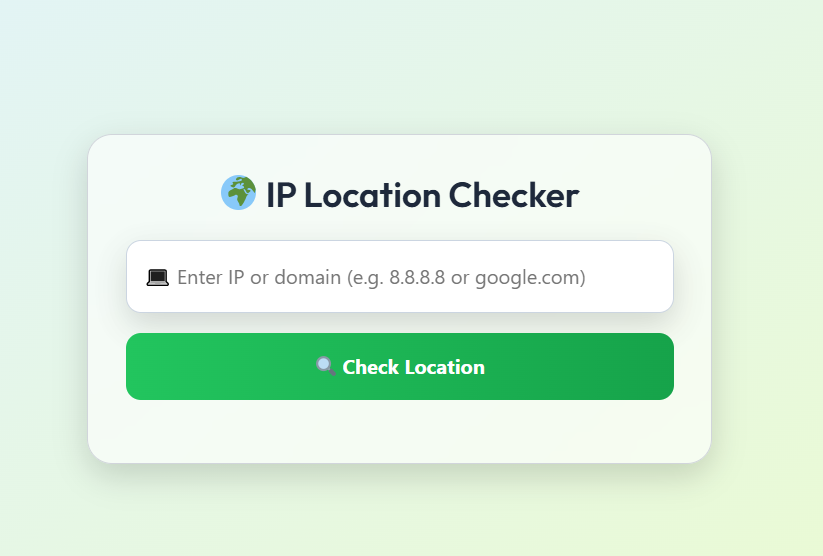
IP Location Checker
Location Details
IP Location Checker: Find Your IP Address Location Instantly
Welcome to our comprehensive guide on using an IP Location Checker tool. In today's digital world, understanding your IP address location is more important than ever for security, privacy, and optimizing your online experience. Our free tool provides instant, accurate geolocation data for any IP address with just a click.
Whether you're a website owner tracking visitor locations, a cybersecurity professional investigating suspicious activity, or simply curious about your digital footprint, our IP Location Checker delivers the precise information you need. This article will explore how IP geolocation works, practical use cases, and why our tool stands out from the competition.
Check Your IP Location NowWhat Is an IP Location Checker?
An IP Location Checker is an online tool that identifies the geographical location associated with an Internet Protocol (IP) address. Every device connected to the internet has a unique IP address that reveals information about its approximate physical location. Our tool extracts this data to show you:
- Country: The country where the IP address is registered
- Region/State: The specific region or state within the country
- City: The city associated with the IP address
- ZIP/Postal Code: The postal code for the location
- ISP: The Internet Service Provider for that IP
- Time Zone: The local time zone for that location
- Coordinates: Approximate latitude and longitude
How Does IP Geolocation Work?
IP geolocation doesn't use GPS or track your exact physical location. Instead, it works by matching IP addresses to geographical locations through extensive databases maintained by regional internet registries, ISPs, and other sources. When you connect to the internet, your ISP assigns you an IP address from a pool associated with specific geographic regions.
Our IP Location Checker queries these databases in real-time to provide the most accurate location data possible. The accuracy can vary depending on several factors:
- Database Quality: We use multiple high-quality geolocation databases
- ISP Information: Some ISPs provide more precise location data than others
- Mobile vs. Fixed Connections: Mobile IPs may show the location of the carrier's network center rather than your exact position
- VPNs and Proxies: These services can mask your true location
Why Use an IP Location Checker?
There are numerous practical applications for IP geolocation technology across various industries and personal use cases. Here are some of the most common reasons people use our IP Location Checker:
1. Website Personalization and Localization
Website owners and digital marketers use IP location data to create personalized experiences for visitors. By detecting a user's country or city, websites can:
- Display content in the visitor's native language
- Show prices in local currency
- Promote region-specific products or services
- Adjust content based on local regulations or cultural preferences
For example, an e-commerce site might automatically show prices in euros for visitors from Germany while displaying prices in dollars for visitors from the United States.
2. Cybersecurity and Fraud Prevention
Financial institutions and online services use IP geolocation as part of their security protocols. Suspicious login attempts from unexpected locations can trigger additional verification steps. Common security applications include:
- Detecting potentially fraudulent transactions
- Identifying unauthorized access attempts
- Blocking traffic from high-risk geographic regions
- Complying with regional restrictions and sanctions
If your bank notices a login attempt from a country you've never visited, they might temporarily freeze your account and contact you for verification.
3. Content Licensing and Geo-Restrictions
Media companies and content distributors use IP location data to enforce regional licensing agreements. Streaming services like Netflix and Hulu show different content libraries based on your geographic location due to licensing restrictions.
Similarly, some websites restrict access to users from specific countries to comply with legal requirements or business strategies. Our IP Location Checker helps content providers ensure they're adhering to these geographic restrictions.
4. Network Troubleshooting and Analytics
IT professionals and network administrators use IP geolocation to:
- Identify the source of network attacks or suspicious activity
- Optimize content delivery based on user locations
- Analyze website traffic patterns by geography
- Troubleshoot connectivity issues with international users
Understanding where your website visitors are coming from helps make informed decisions about server locations, content distribution networks, and marketing strategies.
How to Use Our IP Location Checker
Using our tool is simple and requires no technical expertise. Follow these easy steps:
- Visit the Tool Page: Navigate to our IP Location Checker tool
- Automatic Detection: The tool automatically detects and displays your current IP address and location information
- Check Another IP: To check a different IP address, simply enter it in the search field and click "Check Location"
- Review Results: The tool will display comprehensive location data for the queried IP address
Our interface is designed for clarity and ease of use, presenting the information in an organized, easy-to-read format. You don't need to create an account or provide any personal information to use the basic functionality.
Try Our IP Location Checker NowIP Location Checker vs. Alternatives: Why Ours Stands Out
While there are several IP geolocation tools available online, our IP Location Checker offers distinct advantages that make it the preferred choice for many users:
| Feature | Our IP Location Checker | Basic Free Tools | Premium Services |
|---|---|---|---|
| Cost | Completely free | Free with limitations | Monthly subscription fees |
| Accuracy | High accuracy with multiple data sources | Basic accuracy | Highest accuracy available |
| Data Points | Comprehensive (country, city, ISP, timezone, coordinates) | Limited (usually just country) | Most comprehensive available |
| Update Frequency | Regular database updates | Infrequent updates | Real-time or daily updates |
| Ease of Use | Simple, intuitive interface | Varies widely | Often complex for non-technical users |
| API Access | Available for developers | Usually not available | Standard feature |
| Privacy | No personal data collection | Varies by provider | Enterprise-grade privacy |
Our tool strikes the perfect balance between comprehensive features and user-friendly accessibility. While premium services offer slightly higher accuracy, our free tool provides more than enough detail for most personal and business needs without the recurring costs.
Frequently Asked Questions About IP Location Checkers
How accurate is IP geolocation?
IP geolocation accuracy varies depending on several factors. In urban areas, it's typically accurate to the city level, and sometimes even to the neighborhood. In rural areas, accuracy might be limited to the regional or country level. Mobile connections generally show the location of the carrier's network center rather than your exact position. Overall, our tool provides city-level accuracy for most IP addresses.
Can I hide my IP location?
Yes, you can mask your IP location using several methods. Virtual Private Networks (VPNs) route your internet connection through servers in different locations, making it appear you're browsing from elsewhere. Proxy servers work similarly. The Tor browser also anonymizes your location by routing traffic through multiple nodes. However, these methods aren't foolproof, as some services can detect and block known VPN IP addresses.
Is it legal to check someone's IP location?
Checking the geographic location of an IP address is generally legal, as this information is considered non-personal data. However, how you use this information may be subject to privacy laws. It's important to respect privacy and use IP location data responsibly, avoiding harassment, stalking, or other malicious activities. Businesses should ensure their use of IP geolocation complies with relevant regulations like GDPR.
Why does my IP show a different city than where I actually am?
This discrepancy can occur for several reasons. Your Internet Service Provider may route your connection through a server in a different city. If you're using a corporate network, you might be showing the location of your company's headquarters. Mobile users often see the location of their carrier's network center rather than their precise location. VPNs and proxies will obviously show the location of the server you're connected through.
Can IP location be used to find my exact address?
No, IP geolocation cannot pinpoint your exact physical address. The technology provides approximate location data, typically accurate to the city or neighborhood level. It's not precise enough to identify your specific street address. This limitation is by design to protect user privacy while still providing useful geographic information for legitimate purposes.
Do websites automatically know my location?
Websites can detect your approximate location through your IP address without asking for permission. However, for more precise location data (like GPS coordinates), websites must request permission through your browser. You can control these permissions in your browser settings. Many websites use IP-based location as a fallback when more precise methods aren't available or permitted.
How often is IP location data updated?
IP location databases are updated regularly as ISPs allocate new IP address ranges and network configurations change. Our tool uses databases that are typically updated weekly or monthly. However, there can be a lag between when an ISP reallocates an IP address and when that change appears in geolocation databases, which might explain occasional inaccuracies.
Limitations of IP Location Technology
While IP geolocation is a powerful tool, it's important to understand its limitations:
- Not Pinpoint Accurate: IP geolocation provides approximate location, not exact coordinates
- VPNs and Proxies Can Skew Results: These services intentionally mask true locations
- Mobile Location Variability: Mobile IPs may show carrier locations rather than user locations
- Database Lag: There can be delays in updating location information for recently reassigned IPs
- Legal Restrictions: Some countries have stricter data protection laws affecting accuracy
Despite these limitations, IP geolocation remains incredibly useful for the majority of applications where exact precision isn't required.
Ready to Check Your IP Location?
Our IP Location Checker provides instant, accurate geolocation data for any IP address. Whether you're troubleshooting network issues, enhancing website personalization, or simply satisfying curiosity, our tool delivers the information you need quickly and reliably.
Try it now to see how simple and powerful IP geolocation can be. Share this tool with colleagues who might find it useful, and bookmark it for future reference!
Check IP Location NowSummary: Our IP Location Checker is a free, user-friendly tool that provides comprehensive geolocation data for any IP address. With applications ranging from cybersecurity to content personalization, understanding IP locations is essential in today's digital landscape. The tool offers high accuracy, regular updates, and an intuitive interface without the complexity or cost of premium alternatives.
We hope this guide has been helpful in understanding IP geolocation technology and its practical applications. If you have any questions or feedback about our IP Location Checker, please don't hesitate to contact us.
Other Free Ai Tools
Unlock the power of AI and simplify your everyday tasks. Whether you’re a creator, developer, or a curious mind — our collection of smart, free tools will save you time and boost your productivity.
Receipt Generator
Create professional receipts in seconds — customizable, printable, and ready to send.
Generate Now


